
Create Your Birth Chart in 3 Minutes

Updated: Aug 1

Create Your Personal Life Map|Birth Chart Guide
Now—
let’s create your personal life map.
→ your birth chart
Recommended Website
I recommend
It’s free and—
→ provides very detailed data.
Steps
STEP 1: Access the Site
Click:
→ “Extended Chart Selection”
STEP 2: Register
→ Select “Add New Person”
STEP 3: Enter Your Data
Fill in↓
• Name (any name is fine)
• Gender (does not affect chart)
• Birth date (accurate)
• Birth time (as accurate as possible)
• Country • Birth city (in Roman letters)
⚠ Important
→ Time and location must be accurate
Even small differences—
→ change your chart.
Why is accuracy important? I explained it in detail in the previous post.

STEP 4: Email Registration
You’ll need to register your email.
If you prefer not to—
→ you can use other sites.
But this one is:
→ free and highly reliable
STEP 5: Generate Chart
Once registration is complete,
→ The chart creation screen will appear.
For geocentric charts:
→ Simply click the green button

Your “geocentric” horoscope is now complete.

For the heliocentric model:
Change the checkbox from the geocentric zodiac to the heliocentric zodiac.
Then press the green button.

Your “heliocentric” horoscope is now complete.
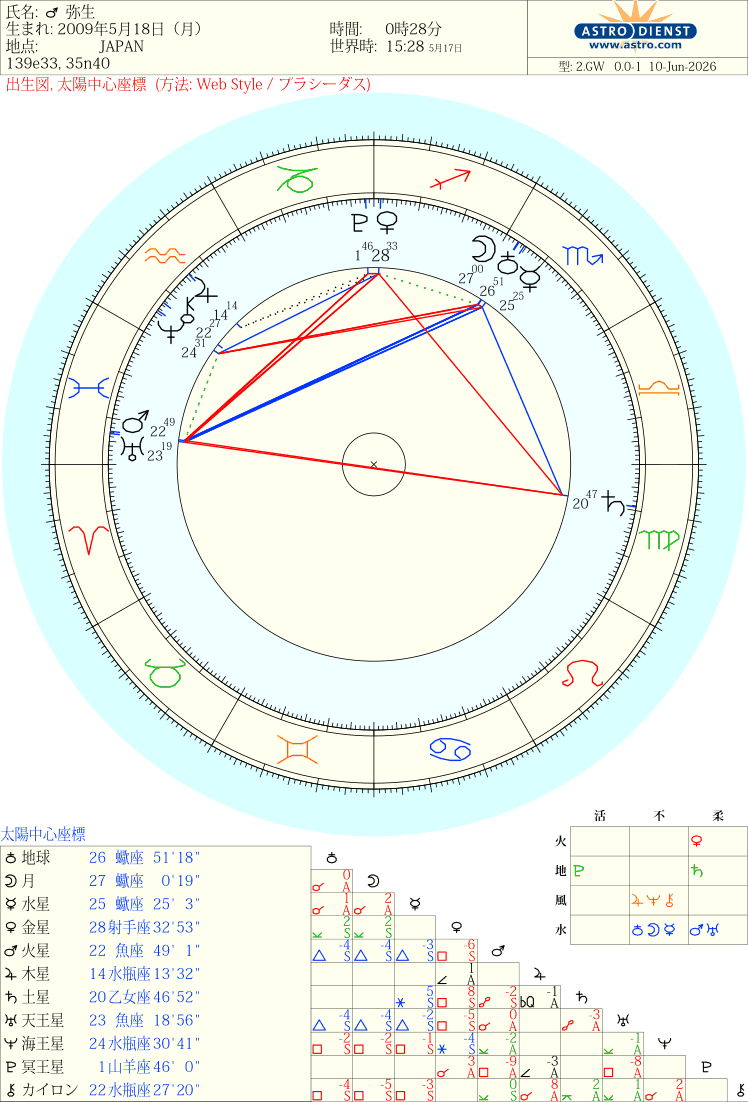
Adding an Asteroid
The method for adding an asteroid is a little unusual.
It's at the very bottom of the information entry page, to the right of “Other Objects.”

Enter a half-width number here.
I'll tell you the number as we go, so let's stop here for now.
Here's what I actually entered: “Angel” and an asteroid are listed under the 10th House.
How to Get Detailed Data
Here’s how to get more detailed data.
Is my planet in the 5th house…? Or the 6th house…?
I don’t know the Sabian symbol for the 8th house!
This is to help clarify questions like these.
① After creating your horoscope, click “View More PDF Data” in the upper-left corner.
It will appear immediately.


① Upper-left: Check the degree and house of each planet’s Sabian symbol.
② Upper-right: The degrees of the Sabian symbols for each house.
③ Figure below: Aspects (angles between planets)
Final Tip
→ Bookmark it for easy access.